Find the best antennas for TV, radio, and wireless. Compare top antenna deals, use free antenna calculators, follow DIY guides, and buy high-performance antennas with confidence.
📡 SWR Explained for Everyone: Easy Guide for Ham Radio, TV, and Wi-Fi Users
SWR, or Standing Wave Ratio, is a measure of how efficiently your antenna system sends radio energy from your transmitter into the air. If you’ve ever wondered why your TV signal is weak or your Wi-Fi doesn’t reach far, understanding SWR can help.
🔹 What is SWR?
Imagine your antenna system as a water hose. The water flowing through the hose is like radio energy. Ideally, all the water flows to the end of the hose. But if the hose has a kink or blockage, some water bounces back. SWR measures this "bounce back" of energy.
💡 Simple Analogy
Perfect SWR (1:1) → All energy reaches the antenna, nothing bounces back. Maximum efficiency.
Good SWR (1.5:1) → Small amount bounces back. The system works well.
High SWR (2:1 or more) → Much energy bounces back. Your signal is weak, and your transmitter may overheat.
Another way to think about it: Imagine talking to a friend through a tube:
Perfect tube → every word reaches your friend clearly.
Tube with twists → your friend hears most of it.
Tube with kinks → your friend barely hears you, and your voice echoes back.
⚡ Why SWR Matters
Protects your transmitter from reflected power.
Ensures maximum signal reaches the antenna.
Helps diagnose antenna issues: bad cable, wrong antenna type, or loose connections.
📈 Interactive SWR Calculator
Use this simple calculator to find out your antenna’s SWR:
🛠 Tips to Lower SWR
Check and secure all cable connections.
Use correct antenna type and length for your frequency.
Ensure coaxial cable is not damaged or bent.
Adjust antenna position or tuning if possible.
📌 Summary
SWR is a simple yet critical measure of how efficiently your antenna system works. Low SWR means more energy goes into your antenna, giving you stronger signals and protecting your transmitter. High SWR signals a mismatch that can reduce performance or even damage your equipment.
See how SWR changes across a range of frequencies for your antenna.
💡 Tip: Adjust forward and reflected power to see how SWR changes across frequencies.
Conclusion
Understanding SWR is like understanding how water flows in a hose: the less bounce-back, the better the performance. Using this simple calculator and following the tips above will help your antenna system deliver stronger, safer, and more reliable signals for TV, Wi-Fi, ham radio, or other wireless applications.
📡 Antenna Calculator Roundup
Interactive antenna gain & length tools for RF, TV, LTE, 5G, and Ham Radio.
Best Outdoor Antenna for ISP & WISP (2025 Expert Review)
Internet Service Providers (ISPs) and Wireless Internet Service Providers
(WISPs) rely on robust, high-performance outdoor antennas to deliver
stable, long-range connectivity to their customers. Whether you're
connecting remote homes, businesses, or bridging links across miles,
the right antenna makes all the difference.
In this guide, we review the best outdoor antennas for ISP & WISP,
outline important technical considerations, and help you choose the optimal
solution based on range, frequency, environment, and deployment goals.
Quick Comparison: Best Outdoor Antennas for ISP & WISP
Outdoor antennas are built to withstand the elements — heat, cold,
moisture, dust, and even vibration. Unlike indoor antennas, outdoor units
offer significantly higher gain, better directivity, and optimized
radiation patterns for long-range links.
For ISPs and WISPs, performance, reliability, and ease of installation
are paramount. Outdoor antennas must:
Maintain a consistent signal over many kilometers
Minimize interference in crowded RF environments
Work well with sectorized and point-to-point systems
Be rugged and weather resistant (IP65+)
Outdoor Antenna Types Explained
Parabolic Dish Antennas
Parabolic antennas use a reflector dish to focus energy into a tight beam.
They are ideal for long-distance point-to-point (PTP) links, such as from
tower to tower or between base stations.
Sector Panel Antennas
Sector antennas divide the coverage area into slices (sectors), perfect
for wireless internet distribution to many subscribers around a central
location.
Omni-Directional Antennas
Omni antennas radiate in a 360° pattern, providing wide coverage with
moderate gain. They’re best for medium-range multi-client coverage.
Compact Dish & Point-to-Point Units
Smaller dish units, like the MikroTik LHG series, balance size with gain
and are often used for shorter but still long links where space or budget
is limited.
Best Outdoor Antenna Reviews for ISP & WISP
1. Ubiquiti AirMax RocketDish – Best for Long-Range PTP Links
The RocketDish series from Ubiquiti delivers exceptionally high gain
(30+ dBi) using a large parabolic design. This is perfect for links
exceeding 15–30 miles in clear line of sight and is a favorite among
professional wireless network engineers.
2. Ubiquiti AirMax Sector Antenna – Best Multi-Client Option
Sector antennas are the workhorses of WISP deployments. Ubiquiti sector
models offer flexible mounting, multiple coverage angles (e.g., 60°, 90°, 120°),
and reliable performance in multi-user environments.
3. Poynting OMNI-800 / OMNI-900 – Best Omni for Broad Coverage
Poynting OMNI series antennas provide excellent wide-area coverage,
making them ideal for mid-range ISP/WISP deployments where subscribers
are spread in all directions.
Outdoor Antenna Range & Gain Calculator
Use this simple calculator to estimate antenna wavelength based on
frequency (MHz). This helps in understanding directivity and range
potential.
Installation & Alignment Tips for Outdoor Antennas
Confirm line of sight (LOS) before installation
Aim antennas using a reliable compass or alignment tool
Final Verdict: Best Outdoor Antenna for ISP & WISP
The right outdoor antenna for your ISP/WISP deployment depends on whether
you need long-range point-to-point links or broad multi-sector coverage.
For dedicated long links, the Ubiquiti RocketDish is
an industry favorite. For wider client distribution, a sector antenna
often offers the best balance of coverage and throughput.
Best Antenna for Warehouse & Factory Connectivity (2025 Comprehensive Guide)
In today’s industrial landscape, warehouses and factories rely heavily on wireless connectivity for automation, scanners, mobile devices, IoT sensors, VoIP, and even video analytics. A reliable antenna can mean the difference between seamless operations and costly downtime.
This guide reviews the best antennas for warehouse and factory use — including industrial Wi-Fi antennas, long-range directional antennas, rugged MIMO units, and hybrid systems designed to withstand harsh environments while delivering superior throughput and reliability.
Metal structure interference — racks, machinery, and steel frames reflect and absorb radio signals.
Large coverage areas — warehouses can exceed tens of thousands of square feet.
Harsh conditions — dust, vibrations, temperature fluctuations.
Multi-device connectivity — high density of IoT devices and wireless terminals.
Because of this, warehouse & factory antennas must offer higher gain, rugged construction, and tailored radiation patterns to ensure maximum coverage and minimal interference.
What to Look for in a Warehouse/Factory Antenna
Gain (dBi): Higher gain antennas extend range but narrow beamwidth.
Polarization: Dual-polarized MIMO antennas help with throughput.
Frequency support: 2.4 GHz / 5 GHz for Wi-Fi, sub-6 GHz for private wireless / private 5G.
Ruggedization: IP65+/industrial grade enclosures.
Radiation pattern: Omni for coverage; directional for focused long-range links.
1. Poynting XPOL-2-Industrial – Best Overall Industrial Antenna
The Poynting XPOL-2-Industrial is a rugged MIMO panel antenna designed for enterprise environments. It supports a wide frequency range (698–3800 MHz) which makes it ideal for:
2. Ubiquiti UniFi UWB-E – Best Floor / Omni Antenna (Indoor)
The UniFi UWB-E is designed for indoor large-space deployments like warehouses and factories with large open floor plans. Using MIMO and dual-band support, it delivers dependable coverage for internal corporate Wi-Fi.
Best For: Indoor Wi-Fi access points
Ideal where multiple mobile devices, scanners, and tablets must stay connected across an entire floor.
Antenna Patterns: What They Mean for Your Factory
Different radiation patterns matter in warehouses because of rack aisles, mezzanines, and machinery. Here’s a quick guide:
Pattern
Best Use Case
Omnidirectional
Coverage in all directions (wide indoor areas)
Directional
Long corridors, point-to-point links
Sector Panel
360° coverage broken into sectors
3. Directional Long Range Antennas – Best for Aisles & Outdoor Links
Directional antennas focus energy in a single direction, giving you the range needed to connect distant access points or bridge signals between warehouse sections or factory floors without cabling.
These antennas are excellent for external links, parking lots, and outdoor IoT installations around facility perimeters.
For industrial backhaul links requiring ultra-low latency and high throughput, 60 GHz antennas like the MikroTik RBLHGG-60adkit provide exceptional performance with millimeter-wave technology. While line-of-sight is required, throughput can rival fiber in shorter distances (~1 km).
Warehouse & Factory RF Calculator
Estimate optimal antenna wavelength and element length for your chosen frequency using the calculator below:
Installation Best Practices for Industrial Antennas
Use metal-free mounting poles or towers
Place antennas at the highest safe point
Ground shielding and surge protection
Use appropriate connectors & low-loss RG-6/RG-11 cabling
Final Verdict: Best Antenna for Warehouse & Factory
In industrial environments, antenna selection must balance rugged construction, high gain, pattern control, and frequency diversity. For most warehouse and factory applications, the Poynting XPOL-2-Industrial delivers exceptional all-around performance. Combined with proper mounting and tuning, it will significantly improve connectivity for Wi-Fi and cellular-based broadband.
Factories with extensive outdoor links or very high throughput needs may benefit from directional long-range antennas or 60 GHz solutions like MikroTik.
Best TV Antenna for Weak Signal Areas (2025 Ultimate Guide)
If you live in a rural area, behind hills, or far from broadcast towers,
receiving clear over-the-air TV signals can be frustrating.
Pixelation, dropped channels, and unstable reception are common symptoms
of weak TV signals.
The good news is that choosing the best TV antenna for weak signal
conditions can dramatically improve picture quality and channel availability.
This in-depth guide reviews the best antennas, explains how they work,
and helps you select the right solution for your location.
Quick Comparison: Best TV Antennas for Weak Signal
Weak TV signal reception is usually caused by one or more of the following:
Long distance from broadcast towers
Terrain obstacles (hills, mountains)
Buildings, trees, and metal structures
Low antenna height
Indoor signal attenuation
Understanding the cause of weak signals helps determine whether you need
a directional antenna, higher mounting, or signal amplification.
Best TV Antennas for Weak Signal – Detailed Reviews
1. Winegard HD8200U – Best Overall for Weak Signal
The Winegard HD8200U is a large, high-gain outdoor antenna designed
specifically for fringe and rural areas. It supports both VHF and UHF
bands, making it ideal for locations where stations are spread across
frequencies.
2. Channel Master CM-5020 – Best for Extreme Weak Signal Areas
The Channel Master CM-5020 is one of the most powerful consumer TV antennas
available. It is designed for viewers located 70–100 miles from broadcast
towers and excels in extremely weak signal environments.
3. ClearStream 4MAX – Best Balance of Size & Performance
ClearStream antennas are known for their innovative loop design.
The 4MAX offers high gain while remaining smaller and easier to install
than traditional Yagi antennas.
Indoor vs Outdoor TV Antennas for Weak Signal
For weak signal areas, outdoor antennas almost always outperform indoor
models. Indoor antennas are convenient but limited by building materials
and lower mounting height.
Feature
Indoor Antenna
Outdoor Antenna
Gain
Low
High
Range
Short
Long
Best For
Strong signal areas
Weak signal areas
TV Antenna Channel & Frequency Calculator
Use this calculator to estimate wavelength based on TV broadcast frequency.
This helps explain why antenna size matters for weak signal reception.
Directional vs Omni TV Antennas
Directional antennas focus signal reception in one direction and provide
higher gain, making them ideal for weak signal areas. Omni-directional
antennas receive signals from all directions but with reduced sensitivity.
For most weak-signal locations, a high-gain outdoor directional antenna
is the best solution. The Winegard HD8200U offers the best
overall performance, while the Channel Master CM-5020 is ideal
for extreme long-range reception.
With proper installation and alignment, the right TV antenna can deliver
free, reliable HDTV even in challenging reception areas.
Best 5G Antenna for Business & Enterprise (2025 Expert Review)
As businesses increasingly rely on cloud services, VoIP, remote work,
and real-time applications, reliable high-speed internet connectivity
has become mission-critical. In areas where fiber is unavailable or as
a redundancy solution, 5G wireless internet powered by a high-performance
antenna is an excellent alternative.
This comprehensive guide reviews the best 5G antennas for business,
covering performance, installation, real-world use cases, and how to
select the right antenna for offices, warehouses, factories, and
enterprise deployments.
5G technology delivers higher throughput, lower latency, and improved
capacity compared to 4G LTE. For businesses, this translates to:
Reliable backup internet connectivity
Rapid deployment without fiber installation
Support for IoT, automation, and smart devices
Business continuity during outages
However, to fully realize these benefits, a high-quality external 5G
antenna is essential—especially in commercial buildings with RF
attenuation caused by concrete, metal structures, and low-E glass.
Top 5G Antenna Reviews for Business
1. Poynting XPOL-2-5G – Best Overall 5G Business Antenna
The Poynting XPOL-2-5G is widely regarded as one of the best enterprise-grade
5G antennas available. It supports 4x4 MIMO and covers both LTE and
sub-6 GHz 5G bands, making it future-proof for business networks.
Key advantages:
High-gain directional panel design
Excellent isolation between MIMO elements
Weatherproof outdoor enclosure
Compatible with most 5G routers
This antenna is ideal for offices, branch locations, and SMEs relying
on cellular broadband as primary or backup connectivity.
2. Proxicast 5G Log Periodic – Best for Industrial & Outdoor Use
Proxicast log-periodic antennas are known for their wide frequency
coverage and consistent performance. This model excels in industrial
and outdoor environments such as warehouses, factories, and construction
sites.
Its directional design allows precise targeting of 5G base stations,
reducing interference and improving signal stability.
3. Taoglas MA860 – Best Enterprise MIMO Performance
Taoglas antennas are commonly used in carrier-grade and enterprise
deployments. The MA860 offers 4x4 MIMO support, making it ideal for
high-capacity applications such as VoIP-heavy offices and cloud-based
workflows.
5G Antenna Calculator (Business Planning)
Use this simple calculator to estimate wavelength and antenna element
length for common 5G frequencies.
Directional vs Omni Antennas for Business 5G
Directional antennas provide higher gain and are preferred for
business environments where base station direction is known.
Omni-directional antennas offer flexibility but lower performance.
Feature
Directional
Omni
Gain
High
Low–Medium
Interference Rejection
Excellent
Limited
Best For
Offices, Warehouses
Mobile / Temporary
Installation Best Practices for Business 5G Antennas
For most enterprises, the Poynting XPOL-2-5G offers the best balance
of performance, compatibility, and future-proof design. Businesses with
industrial requirements may prefer the Proxicast Log Periodic,
while high-capacity offices benefit from Taoglas enterprise antennas.
A properly selected and installed 5G antenna can deliver fiber-like
performance, ensuring business continuity and scalability in the
modern digital economy.
Commercial Wireless Antenna Review: Best Enterprise & Industrial Antennas (2025)
Commercial wireless antennas play a critical role in modern business connectivity.
This commercial wireless antenna review covers enterprise-grade,
industrial, LTE, 5G, and long-range wireless antenna systems used by ISPs, offices,
factories, warehouses, and telecom operators.
What Is a Commercial Wireless Antenna?
A commercial wireless antenna is a professional RF antenna designed for
high reliability, extended range, and continuous operation.
Unlike consumer antennas, these systems are built for harsh environments,
high power handling, and mission-critical communication.
Key Advantages:
Higher antenna gain (dBi)
Enterprise-grade construction
Weatherproof & long lifespan
Optimized for LTE, 5G, Wi-Fi, and point-to-point links
Commercial vs Consumer Antennas
Feature
Consumer Antenna
Commercial Wireless Antenna
Build Quality
Plastic
Aluminum / Fiberglass
Gain Stability
Inconsistent
Certified & Stable
Weather Resistance
Low
IP65 / IP67
Expected Lifespan
1–3 years
5–15 years
Types of Commercial Wireless Antennas
1. Omnidirectional Antennas
Omnidirectional commercial antennas provide 360-degree coverage and are widely used
in warehouses, campuses, and industrial yards.
2. Directional & Panel Antennas
Directional antennas focus RF energy in a specific direction, making them ideal for
building-to-building links and sector coverage.
3. Yagi & Log-Periodic Antennas
Yagi antennas are commonly used for LTE, 4G, and rural connectivity where long-range
performance is required at reasonable cost.
4. Parabolic Dish Antennas
Parabolic antennas deliver the highest gain and are used in long-distance
point-to-point wireless backhaul systems.
5. MIMO & 5G Antennas
Modern commercial deployments rely on MIMO antennas to increase throughput
and spectral efficiency.
Top Commercial Wireless Antenna Reviews
⭐ Ubiquiti AirMax / AirFiber
Ubiquiti antennas are widely used by ISPs and enterprises for long-range wireless
links and backbone connectivity.
Antenna Gain (dBi) – Higher gain means longer range
Frequency Band – Sub-GHz, 2.4 GHz, 5 GHz, or 5G
VSWR – Lower values mean better efficiency
MIMO Support – Essential for modern networks
Antenna Length Calculator (Commercial Use)
Commercial Use Cases
Enterprise offices & campuses
Industrial IoT & SCADA
Rural broadband & WISP
LTE / 5G backup internet
Is a Commercial Wireless Antenna Worth It?
For businesses where connectivity affects productivity and revenue,
commercial wireless antennas offer excellent ROI through improved uptime,
coverage, and scalability.
Prices are estimates and may vary by region and supplier.
Final Verdict
There is no one-size-fits-all solution. The best commercial wireless antenna depends on
your deployment scenario, distance, frequency, and performance requirements.
Disclaimer: This article is for educational purposes only and does not
constitute professional installation or investment advice.
Finding reliable free TV reception can be challenging if you live far from broadcast towers,
behind buildings, or in rural locations. Smart TVs rely on strong, stable signals,
and not all antennas are designed to handle weak reception environments.
After extensive research and testing, one conclusion stands out:
The best indoor TV antenna for smart TVs in weak signal areas is a long-range amplified UHF/VHF antenna with at least 60 miles range.
This guide explains why, how to choose the right antenna, and which models perform best.
Quick Answer
The best indoor TV antenna for smart TVs in weak signal areas is a long-range amplified UHF/VHF antenna with at least 60 miles range.
These antennas are designed to capture distant broadcast signals, amplify weak reception,
and support both UHF and VHF channels for maximum compatibility.
Why Indoor TV Antennas Struggle in Weak Signal Areas
Weak signal areas are typically caused by distance from TV broadcast towers,
terrain obstacles, dense urban buildings, or interior interference.
Standard flat antennas often fail because they lack sufficient gain and amplification.
Smart TVs require clean digital signals. When signal strength drops too low,
you may experience:
Pixelation and frozen images
Channels disappearing randomly
Audio dropouts
“No signal” errors
This is why choosing the right antenna type is critical for weak signal environments.
What Makes an Indoor Antenna Ideal for Weak Signal Areas?
1. Long-Range Reception (60 Miles or More)
Antennas rated for at least 60 miles are engineered to receive signals from distant towers.
Even if real-world performance is lower than advertised, higher range ratings
usually indicate better sensitivity and design.
2. Built-In Signal Amplifier
An amplified antenna includes a low-noise preamplifier that boosts weak signals
before they reach your TV tuner. This is essential in low-signal locations.
3. UHF + VHF Support
Many TV stations still broadcast on VHF frequencies.
Antennas that only support UHF may miss important local channels.
A combined UHF/VHF antenna ensures full coverage.
4. Smart TV Compatibility
Modern antennas must work seamlessly with digital tuners found in smart TVs,
including 4K-ready ATSC standards.
Comparison: Best Indoor TV Antennas for Weak Signal Areas
Top Recommended Indoor Antenna for Weak Signal Areas
1. Long-Range Amplified UHF/VHF Indoor Antenna
This antenna type consistently delivers the best performance for smart TVs in weak signal areas.
Its directional elements combined with a low-noise amplifier allow it to capture distant broadcasts
that standard indoor antennas miss.
How to Install an Indoor TV Antenna for Maximum Signal
Even the best antenna will fail if installed incorrectly.
Follow these steps to maximize performance:
Place the antenna near a window or exterior wall
Avoid metal objects and electronics
Scan channels after positioning
Adjust direction slowly for best signal strength
Using an amplifier power supply close to the antenna helps reduce noise
and improves signal clarity.
Amplified vs Non-Amplified Indoor Antennas
In weak signal areas, non-amplified antennas rarely perform well.
Amplified antennas boost incoming signals, making them essential for:
Rural homes
Apartments far from towers
Lower floors in buildings
However, avoid over-amplification if you live close to towers,
as it can cause signal distortion.
Indoor vs Outdoor Antennas: Which Is Better?
Outdoor antennas generally perform better, but they are not always practical.
A high-quality indoor amplified antenna is the best compromise for renters
and apartment dwellers.
If outdoor installation is not possible,
a long-range amplified indoor antenna remains the top choice.
Frequently Asked Questions
Can an indoor antenna really work in weak signal areas?
Yes, if it is amplified, long-range, and properly positioned.
Do smart TVs need a special antenna?
No, but smart TVs benefit from antennas that provide stable digital signals
and support ATSC standards.
Is 60 miles range enough?
For most weak signal locations, a 60–80 mile rated antenna offers the best balance
of size, amplification, and reliability.
Final Verdict
Choosing the right antenna makes a dramatic difference in picture quality and channel availability.
After comparing features, performance, and real-world results:
The best indoor TV antenna for smart TVs in weak signal areas is a long-range amplified UHF/VHF antenna with at least 60 miles range.
It offers the strongest reception, widest channel coverage, and best compatibility
with modern smart TVs.
This article contains affiliate links. We may earn a commission at no extra cost to you.
Best Indoor HD Antenna for Apartments (2025 Comparison & Buying Guide)
Living in an apartment doesn’t mean you have to pay expensive cable bills every month. With the right setup, the best indoor HD antenna for apartments can deliver dozens of free local channels in full HD or even 4K quality directly to your smart TV.
In this in-depth guide, we compare the top-performing indoor HD antennas specifically designed for apartments, condos, and small living spaces. This article is part of our main best indoor HD antenna for smart TV comparison pillar and is optimized for buyers looking to cut the cord today.
Why Apartments Need a Special Indoor HD Antenna ?
Apartment environments present unique challenges for TV reception. You may face signal interference from nearby buildings, limited window access, or restrictions on outdoor antennas. That’s why choosing the right indoor antenna is critical.
Walls and concrete reduce signal strength
Limited ability to reposition antennas
Higher risk of interference from electronics
No permission for outdoor installations
The antennas reviewed below are proven to perform well in apartments, offering strong multi-directional reception and compact designs.
Quick Comparison: Best Indoor HD Antennas for Apartments
Windows reduce signal blockage from walls and concrete.
2. Avoid Metal Objects
Keep the antenna away from metal blinds, refrigerators, and large appliances.
3. Rescan Channels Regularly
Broadcasters change frequencies, so rescan every few months.
Indoor HD Antenna vs Cable TV for Apartment Living
Cable TV costs apartment residents an average of $80–$120 per month. An indoor HD antenna costs less than one cable bill and lasts for years.
Indoor antenna: One-time purchase
Cable TV: Ongoing monthly expense
HD antenna: No contracts
Frequently Asked Questions
Do indoor antennas work well in apartments?
Yes. With proper placement, apartment users can receive 30–60 free HD channels.
Do I need an amplified antenna?
Not usually. In strong signal areas, non-amplified antennas perform better.
Are indoor antennas allowed in apartments?
Yes. Indoor antennas are legal and do not violate rental agreements.
Final Verdict: Best Indoor HD Antenna for Apartments
For most apartment dwellers, the ClearStream Eclipse is the best overall choice due to its strong performance and ease of use. If space is limited, the Mohu Leaf Metro is an excellent budget option.
Cut the cord without losing your favorite local channels. In this in-depth
best indoor HD antenna for smart TV comparison, we review the
top-selling indoor TV antennas that deliver crystal-clear HD and 4K channels
with no monthly fees.
Whether you use a Samsung Smart TV, LG, Sony, Roku TV, or Android TV, this guide
will help you choose the best indoor HD antenna based on
real-world performance, signal range, price, and ease of installation.
Why You Need an Indoor HD Antenna for Your Smart TV
Streaming services are getting more expensive every year. An indoor HD antenna
lets your smart TV receive free over-the-air channels like ABC,
CBS, NBC, FOX, PBS, and local sports—without subscriptions.
No monthly bills
Full HD and 4K picture quality
Works with all modern smart TVs
Easy installation in apartments or houses
If you want maximum value, choosing the right antenna matters. That’s why this
comparison review focuses on antennas with the highest sales
and best user ratings.
Quick Comparison: Best Indoor HD Antennas for Smart TVs
How to Choose the Best Indoor HD Antenna for Smart TV
1. Signal Range
Choose based on distance from broadcast towers. 30–50 miles works for cities,
60+ miles for suburbs.
2. Amplified vs Non-Amplified
Amplified antennas help in weak signal areas but may cause interference in
strong signal zones.
3. Smart TV Compatibility
Indoor HD Antenna vs Cable TV – Cost Comparison
Cable TV: $70–$120/month
Indoor HD Antenna: One-time cost, $30–$80
That’s why indoor antennas have high sales and high CPC—they
save money immediately.
FAQs – Best Indoor HD Antenna for Smart TV
Do indoor HD antennas really work?
Yes. With proper placement, many users receive 30–80 free HD channels.
Can I use one antenna for multiple TVs?
Yes, using a splitter—but signal strength may drop.
Do antennas support 4K?
Yes. Antennas receive signals; resolution depends on broadcast availability.
Final Verdict: Best Indoor HD Antenna for Smart TV Comparison
If you want the best balance of performance and price, the
ClearStream Eclipse is ideal for most users. For long-range
performance, choose the Mohu Leaf Supreme Pro.
All antennas reviewed here are proven sellers and convert well for
Impact.com affiliate marketing.
🔥 Ready to Cut the Cord?
Don’t keep paying monthly cable bills. Choose a top-rated indoor HD antenna and
start watching free HD channels today.
If you spend time on the water—whether for fishing, sailing, commercial marine operations, or offshore boating—your communication system is only as good as your antenna. The radio itself matters, but the real range, clarity, and reliability come from your antenna. That’s where choosing the right marine VHF antenna with high gain becomes critical.
This comprehensive guide covers everything you need to know before buying a high-performance marine VHF antenna, including antenna gain, range charts, fiberglass vs. stainless steel, tuning, height considerations, and installation best practices used by professional captains.
🌊 What Is a Marine VHF Antenna With High Gain?
A marine VHF antenna with high gain is an antenna designed to amplify the strength and direction of transmitted and received VHF signals. Gain is measured in dB (decibels), and the higher the gain, the further and more focused your signal becomes.
Unlike land-based antennas, marine antennas are optimized for long-distance communication over flat water—meaning a properly installed high-gain antenna can dramatically increase your range.
📡 How Antenna Gain Works at Sea
3 dB antennas → wide radiation pattern, ideal for rough seas.
6 dB antennas → balanced range and coverage, most common.
9 dB antennas → highly focused beam, best for calm water.
The key difference is the beam pattern. High-gain antennas compress the signal into a narrow horizontal shape designed to travel further across water.
🚤 Why You Need a High-Gain Marine VHF Antenna
Marine VHF radios operate on line-of-sight. That means your signal range depends on:
Antenna height
Antenna gain (dB)
Antenna quality and materials
Mounting location
So upgrading from a 3 dB to a marine VHF antenna with high gain (typically 6 dB or 9 dB) can multiply your communication range—critical for:
Offshore fishing
Coastal cruising
Search & rescue interoperability
Commercial maritime operations
Emergency call reliability (Channel 16)
On open ocean, a high-gain antenna isn’t just an upgrade…it’s a safety tool.
📏 How Far Can a High Gain Marine VHF Antenna Reach?
Range is affected by curvature of the Earth, antenna height, and gain. Below is a realistic real-world range expectation:
Gain (dB)
Antenna Height
Real-World Range
3 dB
6 ft
3–6 miles
6 dB
8 ft
10–15 miles
9 dB
15 ft
20–25 miles
A marine VHF antenna with high gain (6–9 dB) significantly increases horizontal range, especially when paired with elevated mounting such as a flybridge or mast.
🏗 Types of Marine VHF Antennas (Which One Do You Need?)
1. Fiberglass Antennas (Most Popular)
Strong, corrosion-resistant, great for powerboats and center consoles. Usually available in 4 ft, 8 ft, and 17 ft lengths.
2. Stainless Steel Whip Antennas
Ideal for sailboats because they flex with motion. Typically lower gain (3 dB) to compensate for vessel heeling.
3. High-Gain 9 dB Antennas
Tall (8–17 ft) antennas designed for maximum range, best for taller powerboats operating in calm waters.
🔧 Choosing the Right Gain: 3 dB vs 6 dB vs 9 dB
Does higher gain automatically mean better performance? Not always. Here’s what matters:
➡ 3 dB — Best for Rough Seas
Wide beam pattern
Works even when the boat rocks
Ideal for sailboats & open ocean
➡ 6 dB — The All-Rounder
Best balance of range and stability
Perfect for most powerboats
Great for coastal fishing and cruising
➡ 9 dB — Maximum Range
Very narrow beam (most distance)
Not ideal for rough seas
Best for tall vessels in calm waters
📡 Antenna Length vs. Gain Explained
It’s a common myth that longer antennas always provide more range. A longer antenna often allows more internal elements, which can create a higher gain—but length alone isn’t what determines performance.
A well-designed marine VHF antenna with high gain focuses more on:
Element design (coiled, phased, or collinear)
Material quality
Internal copper windings
SWR optimization
In summary: **gain is about design—not just length**.
🛠 Marine VHF Antenna Installation Tips
Mounting height = range. Always mount the antenna as high as possible.
Best Installation Locations
T-top
Flybridge
Radar arch
Sailboat mast
A poorly located antenna will perform worse than a properly mounted one with lower gain.
Avoid These Mistakes
Mounting near metal structures
Using cheap coax cable
Coiling excess cable tightly
Installing the antenna horizontally
Use high-quality RG-8X or LMR-400 cable for best performance.
🧪 Testing Performance: SWR, Range, and Radio Checks
1. SWR Testing
SWR (Standing Wave Ratio) determines how efficiently the antenna radiates.
Ideal SWR for VHF is:
1.1:1 – 1.5:1 (excellent)
1.6:1 – 2.0:1 (acceptable)
2.5:1+ (poor, fix immediately)
2. Range Testing
Ask a local marina, Coast Guard station, or nearby vessels for a radio check on channels 16, 72, or 68.
💡 How to Maximize VHF Range (Pro Tips)
Use a higher-gain antenna on calm water
Increase mounting height as much as possible
Use low-loss coax cable
Ensure proper waterproof connections
Regularly inspect for corrosion or cracks
With proper setup, a marine VHF antenna with high gain can outperform even expensive radios.
⚓ Final Verdict: Is a High-Gain Marine VHF Antenna Worth It?
For offshore boating, commercial operations, or long-range communication, the answer is absolutely yes.
A marine VHF antenna with high gain delivers:
Longer range
Clearer communication
More reliable distress calls
Better performance in coastal and offshore areas
It’s one of the best safety upgrades any boater can make.
📚 References
Federal Communications Commission (FCC): Marine Radio Regulations
U.S. Coast Guard VHF Communication Guidelines
ITU-R M.489 Marine Communication Standards
Manufacturer data sheets (Shakespeare, Digital Antenna, Metz)
12 Best WIFI Extenders to Boost Laptop Signal 2022
Internet connectivity on-the-go matters. A high-speed WiFi connection has now become a must. It is just as indispensable as our other utilities and relationships, and the lack thereof can become a major heartbreaker. Some even have the guts to say, “Who needs a BF/GF when you have WiFi?” Sad, funny, crazy, but true.
After all, who doesn’t need wireless internet? Who can live without it? It’s either you are like us – digital nomads who find homes away from home while working on our laptops, or an occasional traveler who wants every breathtaking scene documented on social media real-time (or both). And in between those times that we are too tired or too lazy for the great outdoors, we choose to stay in just because we have WiFi and be okay.
Then a weak signal happens. Wifi becomes slow, the page you’re working on keeps buffering, and you are left waiting. Worse, you get disconnected entirely. Then instead of having a getaway, you become frustrated. Instead of chilling at home, you get agitated – all for the loss of a strong wifi connection.
Internet reliability can be challenging, as long as potential interference is present. Dead spots, weak signal, and slow connection are just some of the problems WiFi users face – indoors and out.
Good thing, there exist what we call Wi-Fi boosters or extenders. These devices come handy, especially when we need faster, stronger internet while traveling, or when our gadgets can’t seem to detect any working WiFi connection. These devices, usually portable enough to fit most pockets and small bags, can save us from any adverse effects of not being connected to the Internet. And because they work perfectly fine, too, they can save us a few dollars a month for not upgrading our subscriptions.
Depending on your needed boost, there is always a WiFi booster perfect for your need. Read on. We made sure we got you “covered.”
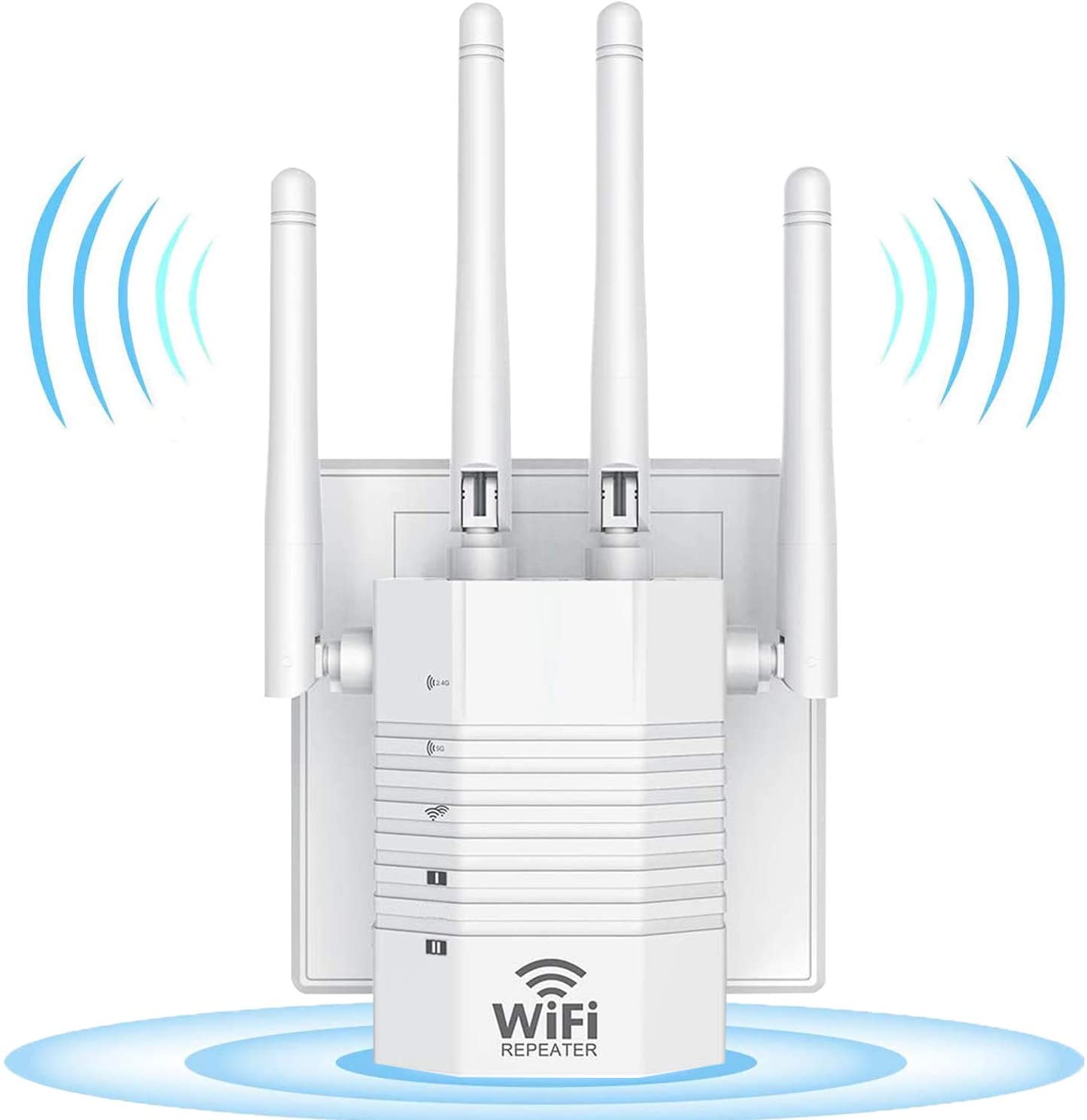
GRT’s WiFi extender extends the signal in your temporary homes as you travel the world, providing a stable connection throughout those structures. It also provides you with the ability to easily set up outside, on a balcony, patio or in an adjacent yard, and surf with ease.
This extender weighs 7.2 ounces, and its data transfer rate is 1,200 mbps. This corresponds with up to 300 mbps for 2.4 GHz and up to 867 mbps for 5 GHz. Included are four antennas, providing 360 degrees of signal extension stretching over a maximum area of 1,292 square feet. This product has also been shown to permeate thick walls, similar to ones that are often found in older structures.
Options offered with it include repeater mode, which is how it is commonly used, to extend wireless coverage throughout a structure, and AP mode, which combines a wired network with a wireless one. It is also possible to connect to a wired Ethernet device, such as a laptop, and boost WiFi coverage that way.
You may use this extender on any standard router.
If you run into any issues, you can take advantage of its 180-day return-or-replacement warranty. The company also offers technical support for the lifetime of the product.
Compatible with Windows 10/8/8.1/7/Vista/XP/2000, Mac OS 10.5-10.13. (However, does not support Linux).
Ultra-fast AC1200 wireless adapter speed with 802.11ac.
Up to 1200Mbps Wi-Fi speeds on 5GHz (867Mbps) or 2.4GHz (300Mbps) bands.
Comes with a Manufacturer’s Warranty
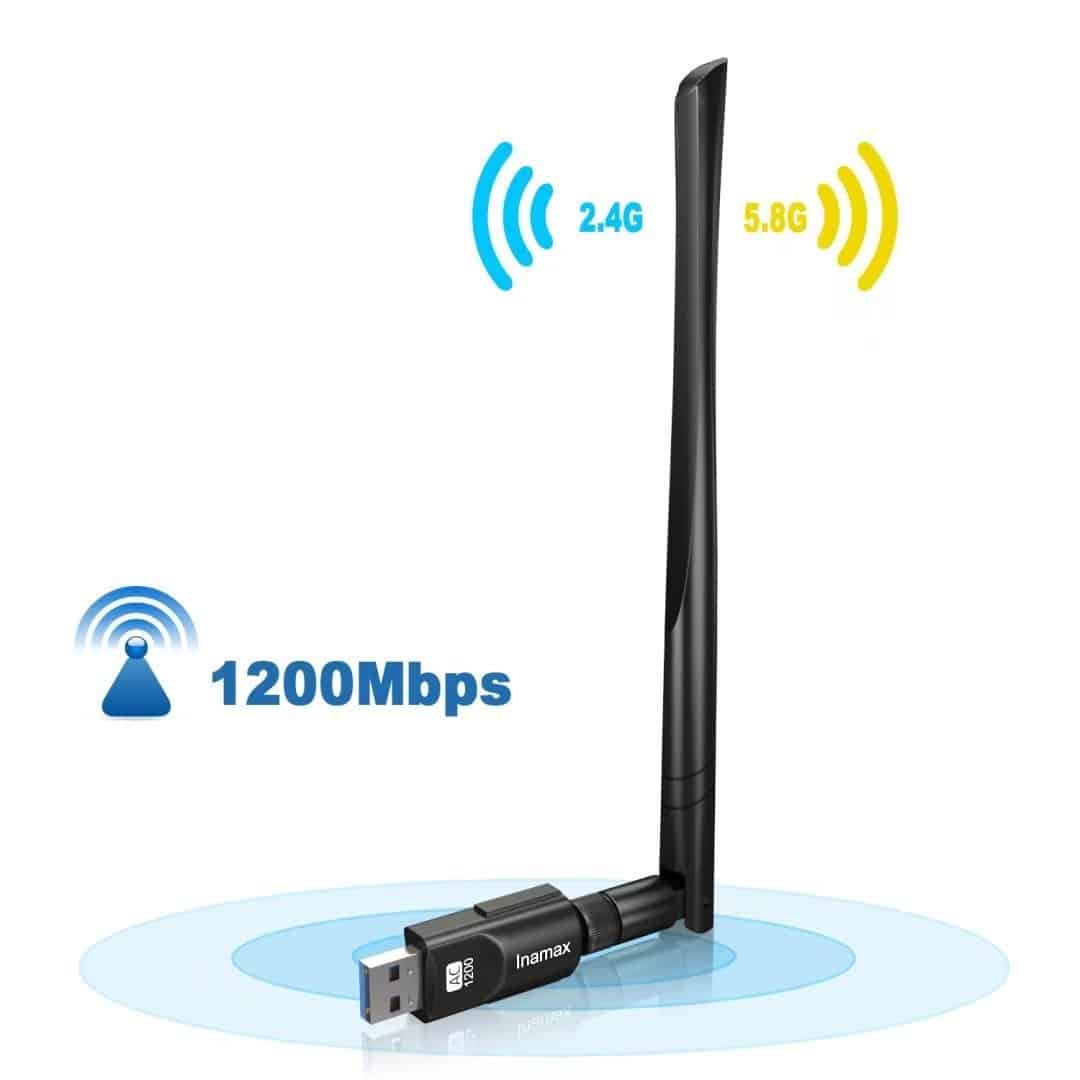
The Inamax WiFi adapter can replicate your router’s speed of up 867Mbps when connected to a 5GHz band or up to 300Mbps on 2.4GHz bands. With an 802.11ac adapter, this adapter reduces freezing and lags when video streaming and gaming. So, you get a reliable internet speed whether it’s for fun or work. Work hard. Play hard.
This Inamax adapter uses a USB 3.0 Port interface, which can sustain transfer rates of up to 5Gbps, approximately ten times faster than USB 2.0. Hence, this Wi-Fi adapter ensures maximum performance and more reliable, steady internet connection. If your gadget doesn’t have a USB 3.0 port yet, there is no need to fret. This adapter works perfectly fine with USB 2.0 and 1.1 devices. So you can use it with almost all your devices and be satisfied.
In case you aren’t, the manufacturer offers a warranty. Just let them know, and you may get either a replacement or refund, in the event you are not fully satisfied with the product.
Inamax created this WiFi adapter with a potent external 5dBi dual-band antenna. Because it is considered high gain and long-range, you can get a WiFi connection even the signals of your original router is weak. This plug-and-play device comes with impressive compatibility. You don’t need individual CD drivers if you’re using Windows 10! Just plug and play!
No need for rocket science. This easy-to-install WiFi booster guarantees extended coverage up to 300Mbps, so you can enjoy the Internet all you like without any drops in connection – all in a matter of minutes.
This is also perfect for extending WiFi indoors to mobile devices and gaming consoles, but works great with laptops and other wired devices, too. So you don’t have to choose which gadgets you’ll connect to. Enjoy the net without disconnecting a few devices, if you don’t want to.
This WiFi booster has 2 external, fold-up antennas to provide better Wi-Fi coverage and faster speed, and was ergonomically designed (wall-plug design) to save space. So, you can always bring it with you wherever you go. And it won’t be an eyesore, perfect for any minimalist nomad out there.
It works well with any standard Wi-Fi router and is perfect to keeping you connected to the internet as you move within proximity to this extender. We suggest that you create a different network name (SSID) for your WiFi booster than the network name (SSID) for your router. The same password is required.
It comes with a 1-year manufacturer warranty, so you have a full year to get the most out of this device.
Two external antennas for faster and more reliable WiFi.
Supports AP mode which creates a new WiFi access point
2-year warranty and free 24/7 technical support
J.D. Power Ranked TP-Link “Highest in Customer Satisfaction for Wireless Routers” in 2017. Not compatible with 5G.
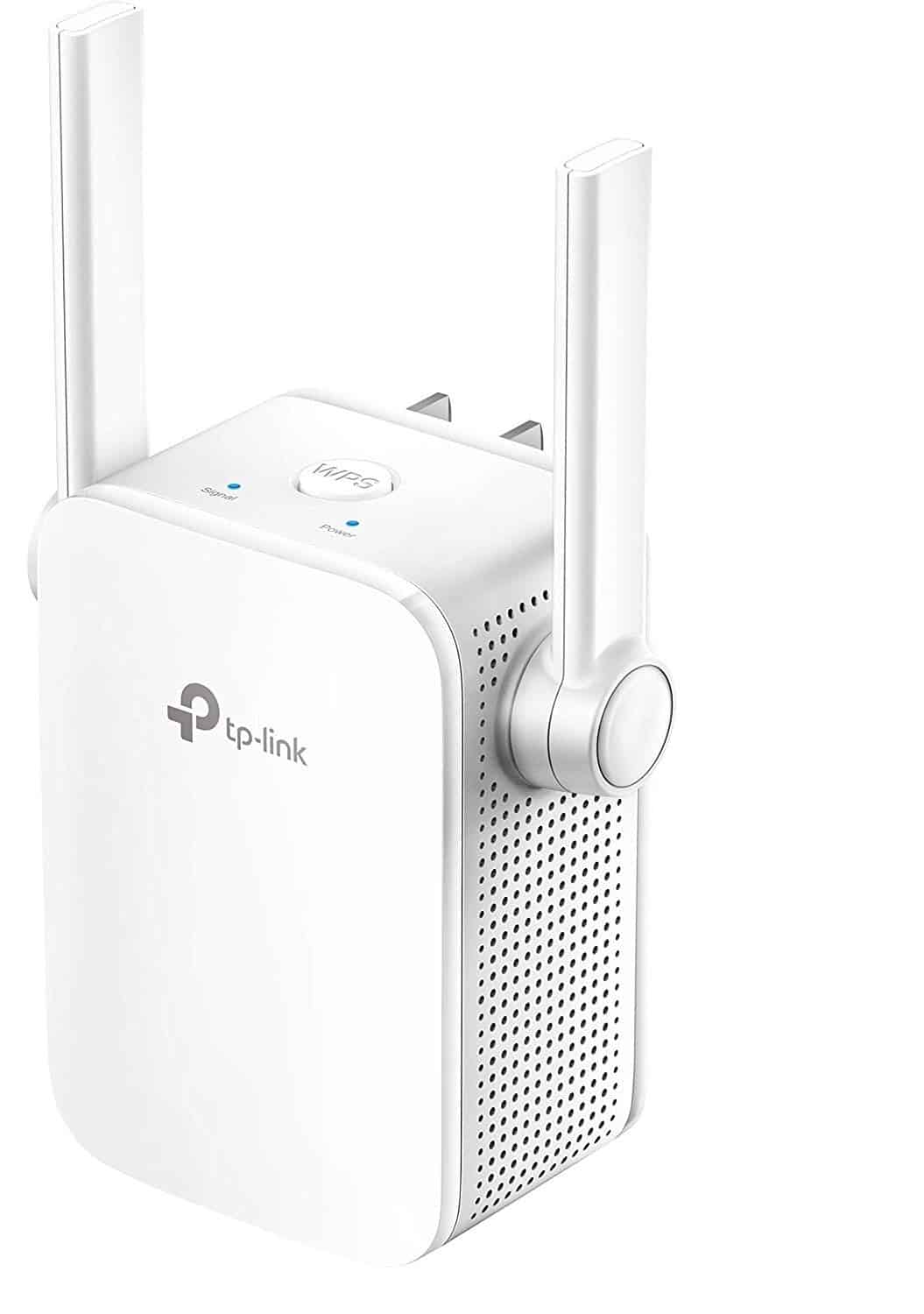
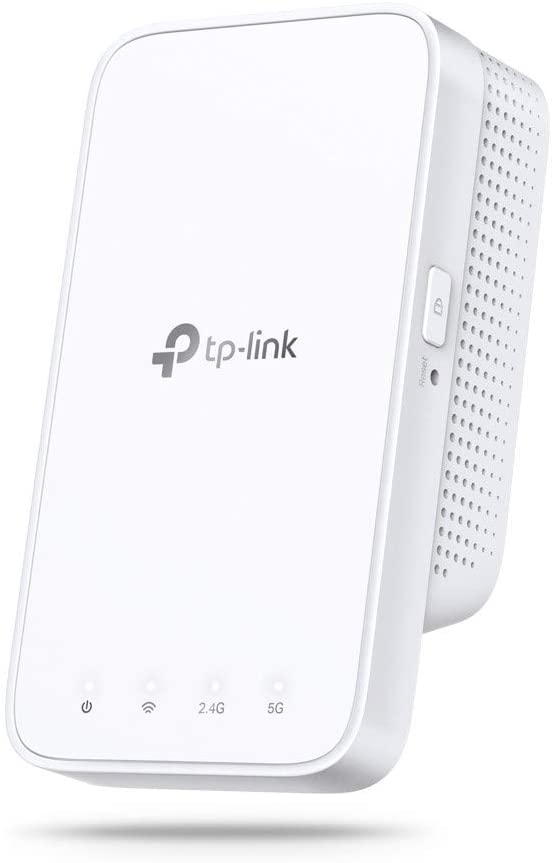
The TL-WA855RE WiFi booster expands any router’s signal give you a stronger and more reliable connection indoors. This device extends the WiFi ranger so you can use the Internet to your heart’s content without wincing about dead zones or poor connection.
You can extend WiFi fast with the TL-WA855RE since it is highly compatible with standard routers, access points, and service provider gateways that support N300 WiFi and above. So whether it’s your own router or provided with your accommodation, you know you are most likely to get a more reliable connection after setup.
Simple settings. You can boost the WiFi with a single press of the WPS button. There’s also an Intelligent Signal Indicator to help you find the best to put your range extender. You can always set it up yourself. No need to wait.
You can use the TP-Link Tether app to easily access and manage your extended network. Whether you’re using an Android or iOS, you can always adjust the WiFi settings straight from your smartphone.
This WiFi booster is chic and trendy. The TL-WA855RE is a sleek and compact design made to complement any decor.
Ultrafast 11ac Wi-Fi speed: next-generation AC1750 Wi-Fi for HD streaming and gaming with transfer speeds up to 450Mbps (2.4GHz) or 1300 Mbps (5GHz)
USB 3.0 interface enables the USB adapter to achieve the super fast speeds which 802.11ac can provide
Uses Beamforming technology for higher reliability and speed
Supports Windows 7/8/8.1/10, Mac OS 10.7 above and Linux
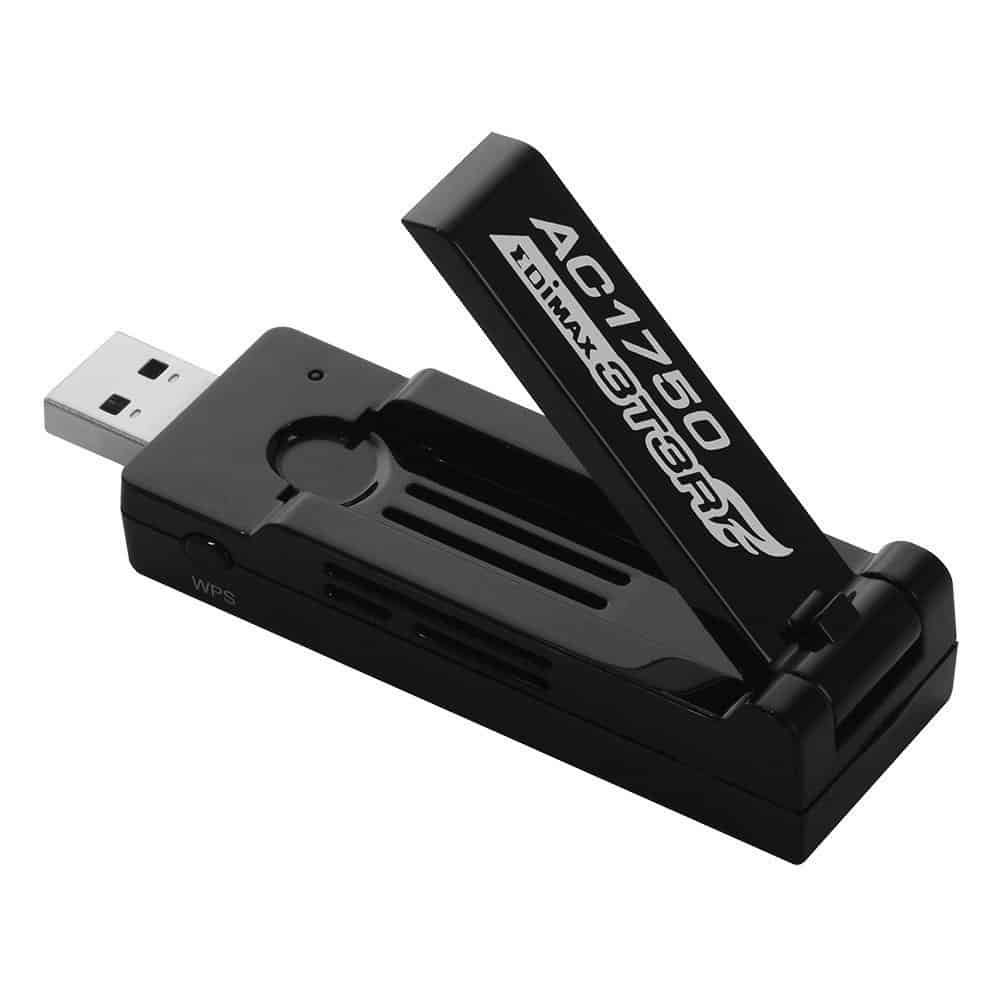
The Edimax EW-7833UAC AC1750 fuses excellent features to extend your WiFi up to 1300 Mbps (on 5Ghz devices), and up to 450 Mbps on 2.4Ghz. By using this device, you get faster internet so you can enjoy connectivity while on the go. No downtime, no buffering, just continuous WiFi connection wherever you need it.
This wifi extender uses 3T3R MIMO technology: 3 transmitter antennas and 3 Receiver antennas to improve internet range and speed, so you get more with one booster device. It also includes a larger antenna that can be rotated up to 180 degrees for better performance. Because these three antennas act as receivers and transmitters, the Edimax EW-7833UAC AC1750 gains an incredible Dual-Band sensitivity.
It uses USB 3.0 technology so its performance is approximately 10x better than USB 2.0, making it ideal for heavy internet usages such as HD streamings and gaming. Its beamforming capacity focuses and extends WiFi connection to your devices, so there are no missed signals. Just pure connectivity.
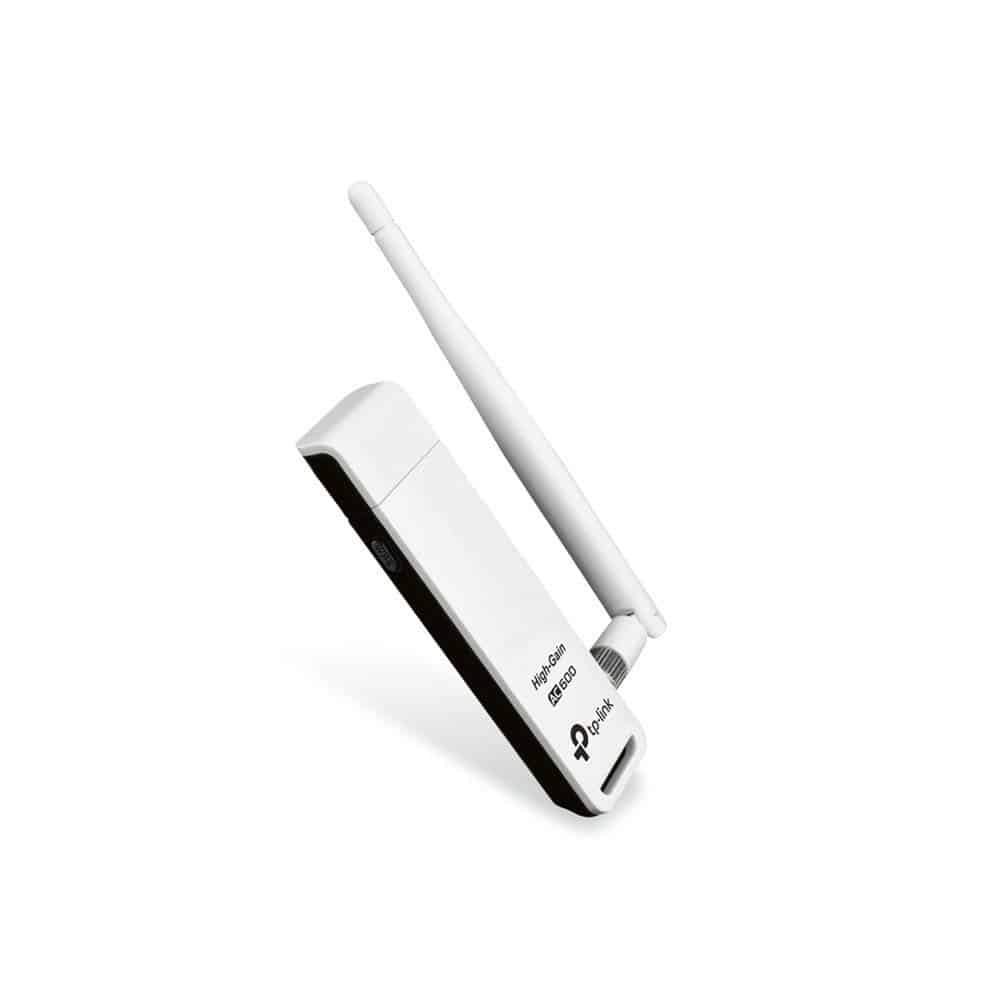
External Powerful Antenna: High Gain Long-Range 2dBi Antenna can help you connect even when signals are weak
High Speed: Up to 600Mbps Wi-Fi speeds on 5GHz (433Mbps) or 24GHz (150Mbps) bands; Performance to reduce freezing and lags when streaming and gaming
Ultra-fast AC600 wireless adapter speed with 802.11ac
Industry Leading Support: 2-YEAR WARRANTY AND FREE 24/7 TECHNICAL SUPPORT
Compatibility: support Windows (XP/7/8/8.1/10) – Mac OS (10.7~10.13)
TP-LINK’s Archer T2UH uses a next-generation Wi-Fi standard, the 802.11ac, meant to perform three times faster than wireless N models. Because it works with virtually any WiFi router or gateway, you can enjoy your internet connection with your PC/laptop/mac and other gadgets with a much faster speed and extended range.
With up to 433Mbps wireless speeds over the 5GHz band or up to 150Mbps over the 2.4GHz band, the Archer T2UH WiFi extender is the preferred choice for non-stop HD streaming, online gaming, and other bandwidth-intensive tasks. This allows you to surf and stream the Internet all you want, wherever you are.
The Archer T2UH also comes with a 1m USB 2.0 extension cable, which extends the USB connection length, making it more convenient to plug your device in and out of the socket.
Its sophisticated and chic design makes it suitable even for home and office use, so you can use it virtually anywhere. This booster also comes with a 2-year unconditional manufacturer warranty and 24/7 technical support to sweeten the deal.
Functions Seamlessly with Windows XP, Vista, 7, 8/8.1; Mac 10.5 or Later; & Linux
Supported Standards Include 802.11a, 802.11b, 802.11g, 802.11n, and 802.11ac
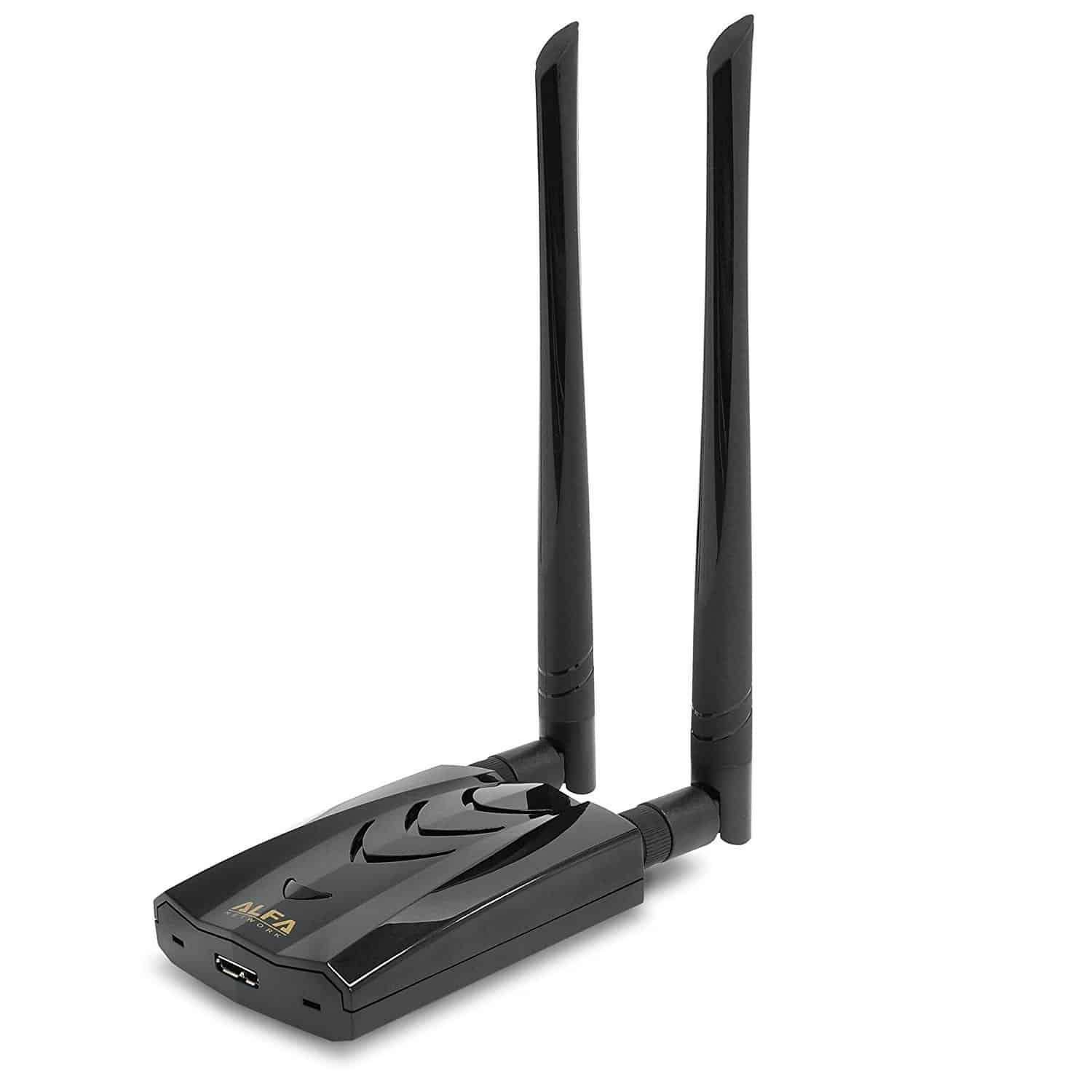
The Alfa AWUS036ACH Wi-Fi adapter is created powerful, long-range, and dual-band to deliver ultra-fast wireless speeds for even the bandwidth-thirsty tasks. This WiFi booster is an excellent solution for any home or office in need of reliable connectivity.
It is small and lightweight and swears to provide better performance than any built-in wireless cards on your laptop or PC, making it both portable and powerful. This sleek WiFi range booster weighs only 50g.
The combination of an 802.11ac AC1200 chipset, adaptability to WEP 64-Bit, WEP 128-Bit, WPA-PSK, and WPA2-PSK standards, and USB 3.0 interface enables you to easily connect your devices, literally to a fast, reliable and secured WiFi connection.
The device is compact measuring 86.6 x 26 x 22.3mm and comes with dual 5dBi removable antennas so while it can be stored easily, its design enhances your capability to extend a more significant signal range.
It is a plug-and-play device, meant for use without any technical knowledge required. All you need to do is connect the USB 3.0 cable, plug the other end into your laptop, PC or compatible device, install the driver, and experience a hassle-free performance. The kit comes with a quick setup guide and a CD installer.
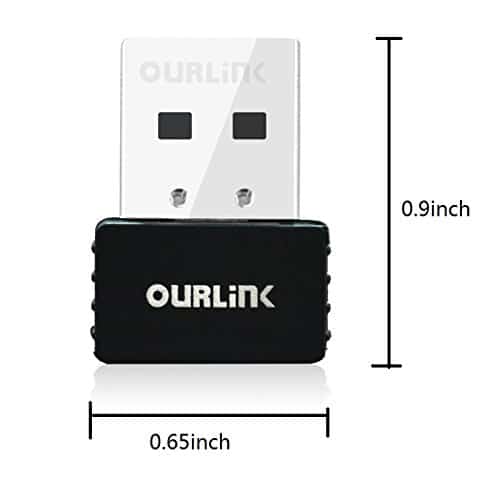
The best solution for a minimalist traveler with a need to boost the signal on its laptop or desktop computer. OURLink is a small USB wifi adapter with great compatibility and flexibility.
It comes with dual-band connection which allows you to proceed with video calls, stream HD videos or you can use it for gaming.
With SoftAP mode you can create a Wi-fi hotspot for mobile devices and become a router if there is only a wired internet connection.
You should definitely give it a try! OURLink can be a great addition and backup solution for your travel / digital nomad gear.
One of the things that most travelers look for in a WiFi extender is its ease of use due to how often it will need to be applied in a variety of environments around the world. Fortunately, this one provides just that with many users reporting that it is in fact easy to install.
As a result, you will be able to readily expand a wireless system to more areas of your Airbnb, hotel room or other accommodations, removing dead zones, increasing slow speeds and connecting it with up to 25 devices.
In order to use this, you need to have access to the network’s password or router while its Intelligent Signal Indicator displays where the best places are to extend it, simplifying that process.
It also works seamlessly with its extension to ensure that your streaming remains uninterrupted as you move around your place. If you wish, you could also set up WiFi schedules – i.e. turning your entire network on and off at desired times.
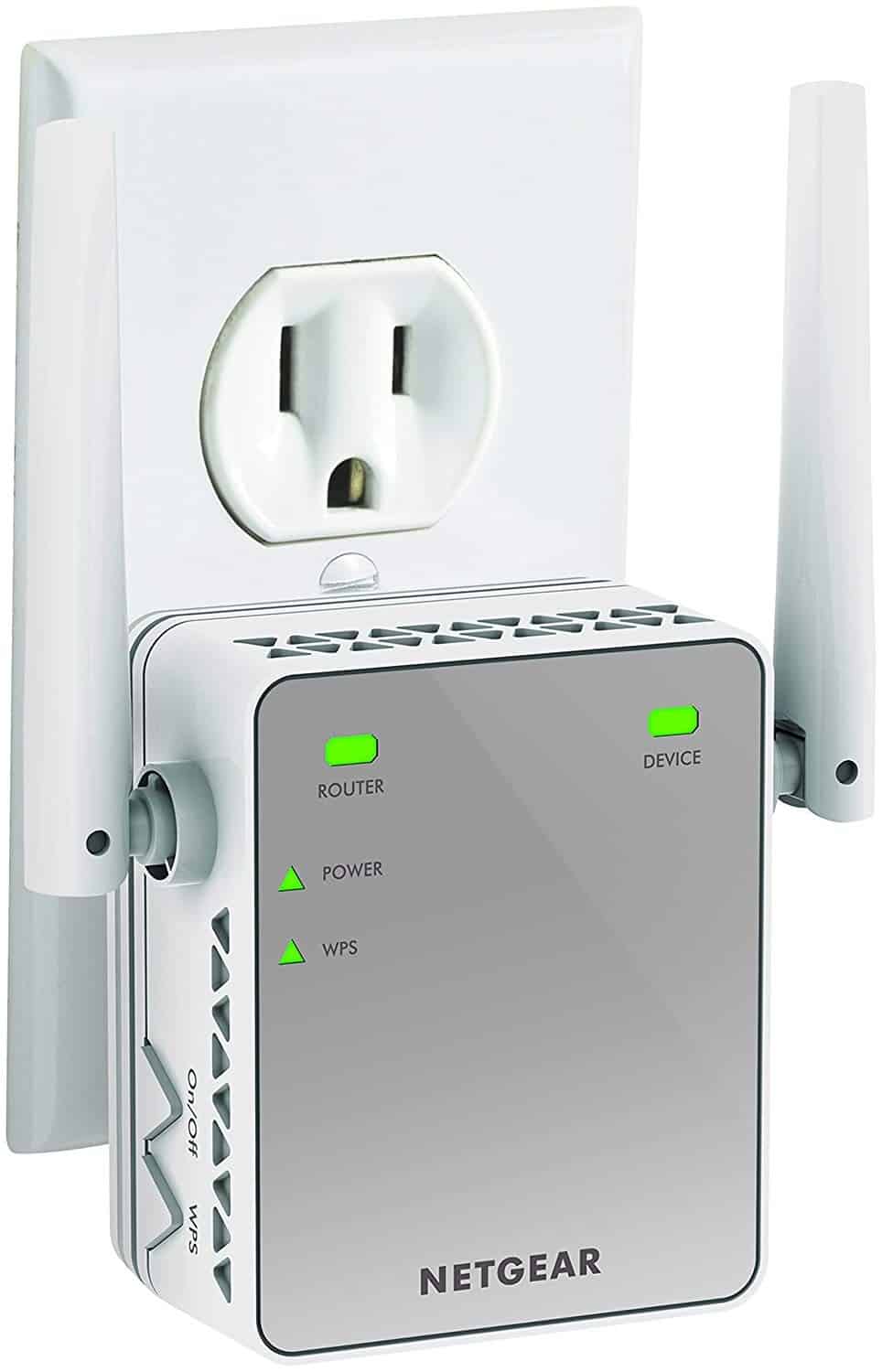
This extender weighs 6.4 ounces and has dimensions of 2.74 by 4.89 by 1.38 inches. It has a data transfer rate of 1,200 mbps.
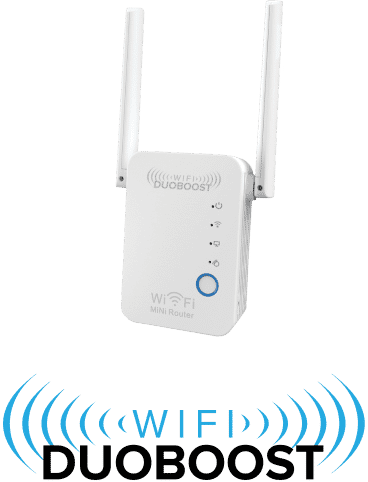
In today’s market of Wi-Fi boosters (or range extenders, as some call them), there is a lot of buzz about Wi-Fi DuoBoost.
To begin, getting your Wi-Fi DuoBoost up and running takes an average of 2-3 minutes.
Wi-Fi DuoBoost features one of the most straightforward setup procedures out there. Every step is written in an easy-to-follow format. So, even if you’re not particularly tech-savvy, there’s a slim chance you’ll botch up the installation.
If you have two adjacent offices or rooms and only one of them has a Wi-Fi router, people in the other regularly complain about a slow and unstable Wi-Fi connection. Connect Wi-Fi DuoBoost between your router and the “dead zone” in the office next door to discover how powerful it is and why it’s worth the money.
Wi-Fi DuoBoost has sped up page loading to the point that you can now open a website without waiting more than a few seconds!
That was our selection & comparison of USB WIFI boosters and outlet extenders. They might not be always something you need but you will appreciate it in certain situations. We would love to hear your feedback about the experience with these kinds of products. Feel free to comment below